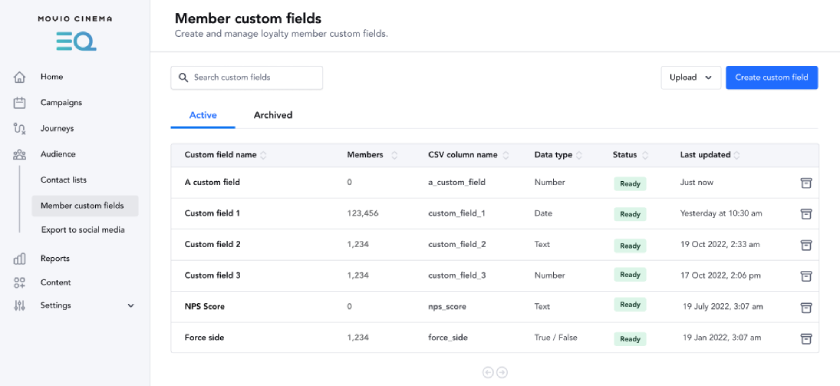
Member custom fields allow you to expand on the member fields that are already available in Movio EQ and gain more targeting and personalization options in your campaigns and journeys.
A few examples of how you can use them:
- Upload a list of members and their NPS scores to find those who are at risk of leaving your loyalty program and send them an offer.
- Import aggregated data from third-party platforms to compliment your loyalty data and enhance segmentation.
- Send a unique QR code or barcode to each recipient of a campaign for a loyalty promotion.
- Suppress surveys for moviegoers who don’t show up to a session.
- Automatically celebrate viewing milestones.
You can manually create custom fields in EQ, upload them in a CSV file, or upload them programmatically, using SFTP.
Each field you upload will:
- Have a corresponding filter in the campaign audience builder or journey conditions.
- Be useable as a marker in the campaign/journey email editor and, depending on the data type, static content, conditional content, or both.
Note: You can add a maximum of 25 member custom fields. Once you reach this limit, you'll need to either delete existing custom fields before adding more, or contact us to increase the limit.
See also:
Comments
0 comments
Article is closed for comments.