Situation
After several failed login attempts, your account might become locked:

If you get the message above when you try to login into your Movio console, your account will need to be unlocked by a Movio user in your organization that holds administrator rights.
What to do
Here are the steps on how to unlock a Movio account:
- Hover over ‘Admin’ in the top menu
- Click on ‘User Accounts’ under the ‘Manage’ header
- Search for the relevant account and click on it
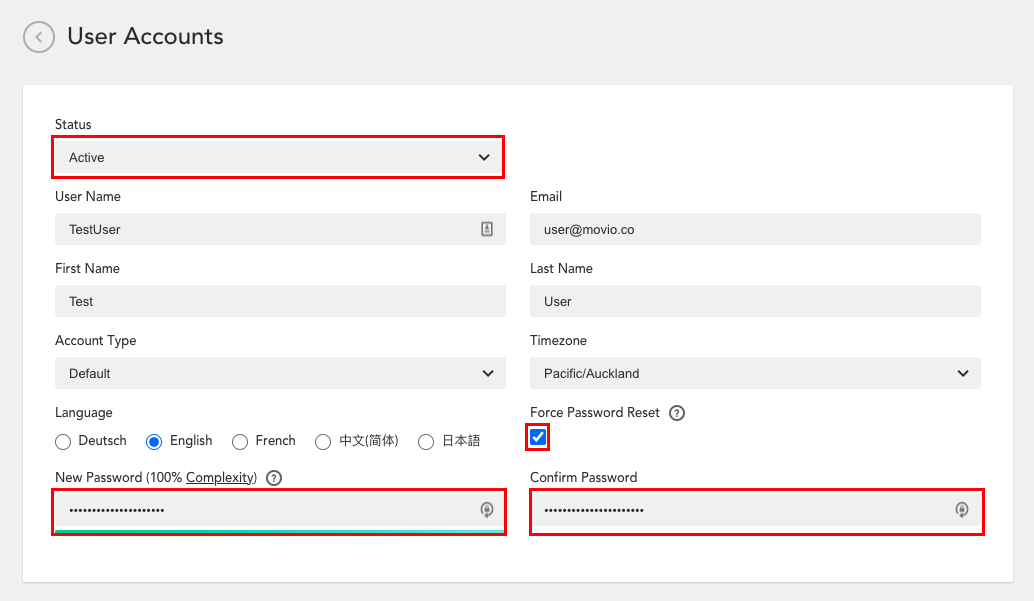
- Update the user record by changing the Status from 'Locked' to 'Active'
- Click 'Update' at the end of the page
We also highly recommend updating the password:
- Set a new password for the user
- Tick the 'Force Password Reset' so that the user is required to update their password the first time they log back in
Please submit a request if you continue to have issues.
Comments
0 comments
Article is closed for comments.