You are able to track the reason why an email address was marked as invalid directly in the console.
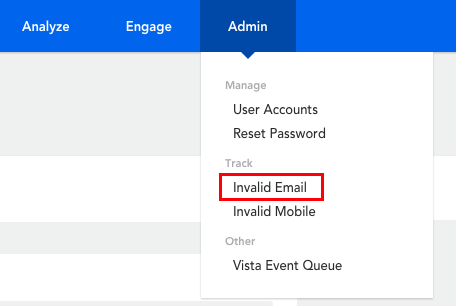
- Hover over ‘Admin’ in the top menu
- Click on ‘Invalid Email’ under the ‘Track’ header
- Adjusting the 'Logged From' date will allow you to define how far back you want to search for email addresses that have been identified as invalid
- The invalid emails will be displayed here, along with the reason why the email was considered invalid
Note, the results include email addresses from Loyalty members as well as email addresses from contacts in Contact Lists.
Please submit a request if you believe an email address has wrongfully been marked as invalid.
Comments
0 comments
Article is closed for comments.