Situation
When a campaign has Loyalty Code or Loyalty Points configured, it will send an offer to its recipients.
If a member has not received an offer even though it has been applied within Movio, there a few possible causes for this.
Note: In Vista Loyalty, the type of Loyalty Code is called 'Recognition' and the type of points relate to the 'Points Balance'.
What to do
Validate Event Request
Firstly, confirm if the request has been sent to Vista. Navigate to the Vista Event Queue to validate the request was successfully sent from Movio to Vista. Select the correct type from the 'Event Type' dropdown, and populate the 'Member ID' on the right.
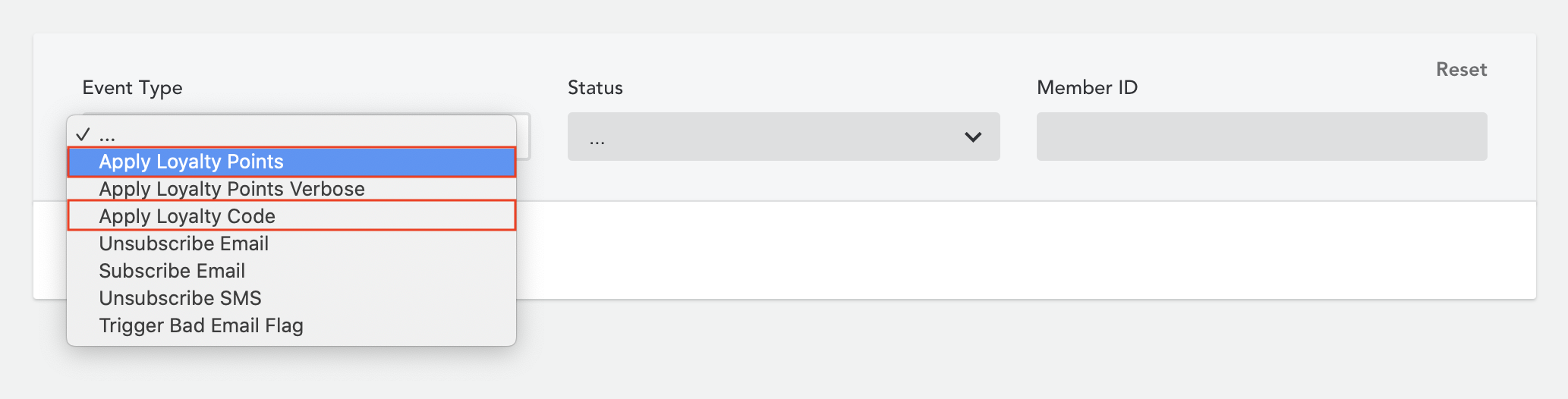
If results are returned, please check that it shows indeed the intended offer and not a previous offer.
If no results are returned or the results don't correspond to this offer, please follow the instructions for Member didn't receive email to validate if the member was a campaign recipient.
Event status is 'Pending', 'Unknown' or 'Failed'
If the event has not been successfully processed, please contact us.
Event status is 'Processed'
If the event has been successfully processed, it was received by Vista and then should have applied the offer to the member.
Before raising a ticket on the Vista Support site, please ensure the SQL Agent job ’Process Apply Recognition’, located in SQL Server Management Studio on your Vista server, has been enabled.
This job is responsible for applying recognitions posted by Movio via the Vista web service.
Comments
0 comments
Article is closed for comments.