The ‘General’ section must be completed in order to execute a campaign.
- Enter a description for internal and future reference.
- Choose your 'Subscription Category' – if a member unsubscribes from this campaign, this will be the subscription category that they will be unsubscribed from.
- Choose the 'Send Mode' that you would like to send your campaign with. You can choose either Email, SMS, Email & SMS, or silent.
A silent campaign will not contact the member directly but will apply rewards or loyalty points to their account. - Choose a 'Loyalty Rewards Mode':
Contactable Members: only send loyalty points/codes configured in the campaign to campaign recipients who have a valid Email address (and/or phone number) and who are subscribed to the associated subscription category.
Every Member: send loyalty points/codes configured in the campaign to all members returned by the campaign recipient snapshot(s).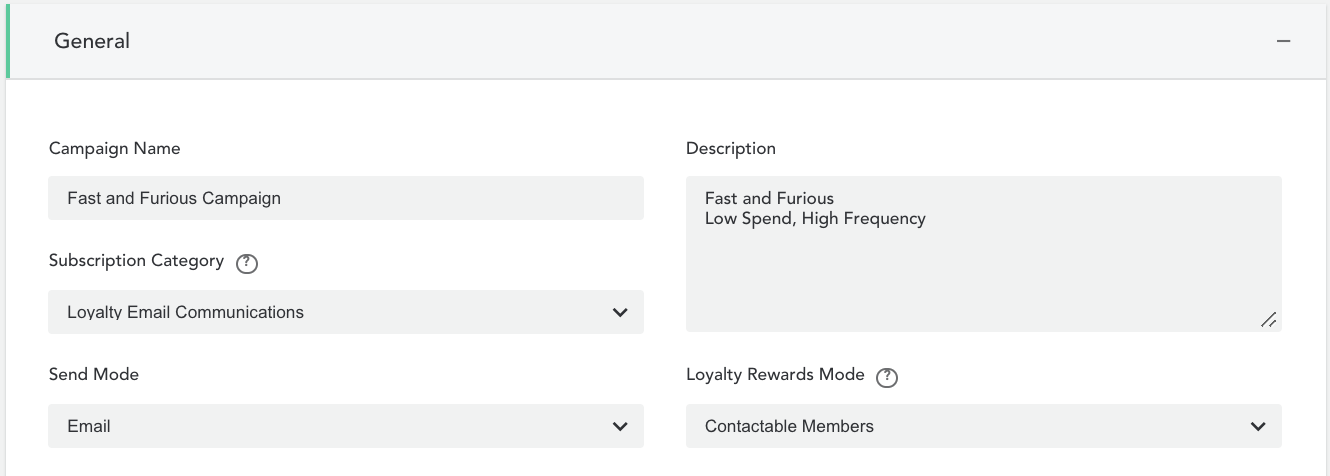
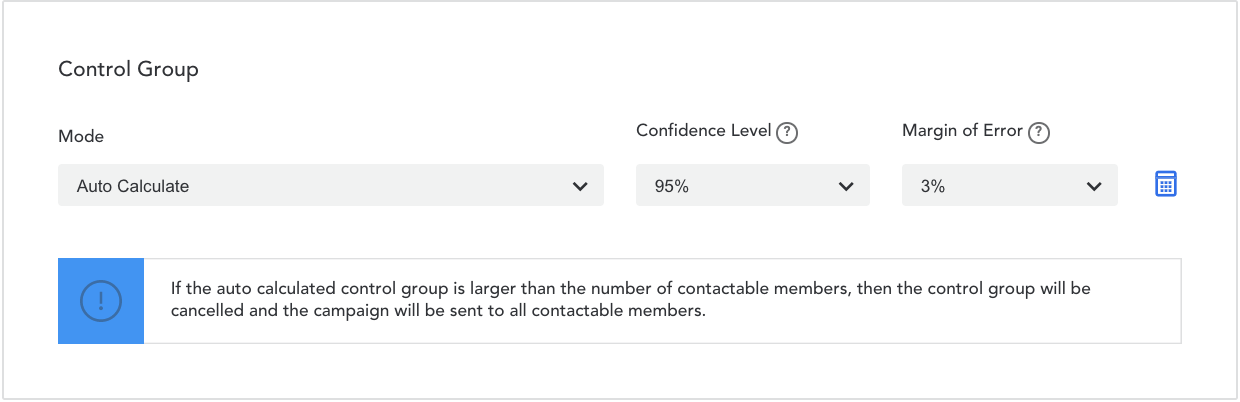
- Under the ‘Control Group’ heading, select the mode that you want to use the calculate the number of members in your control group. See ‘Target and Control Groups’ for more details.
- Click ‘Save’ to save your changes.
Comments
0 comments
Article is closed for comments.