Situation
A recurring campaign will automatically get recalled if it attempted to contact a member more than the allowed recurring limit.
If this is the case, once you log in to the console, the below message will be visible:

Within the campaign configuration page, you will see the below messages:

What to do
How to change the limit
If you want to change the recurring limit, you can do so in the campaign sections.
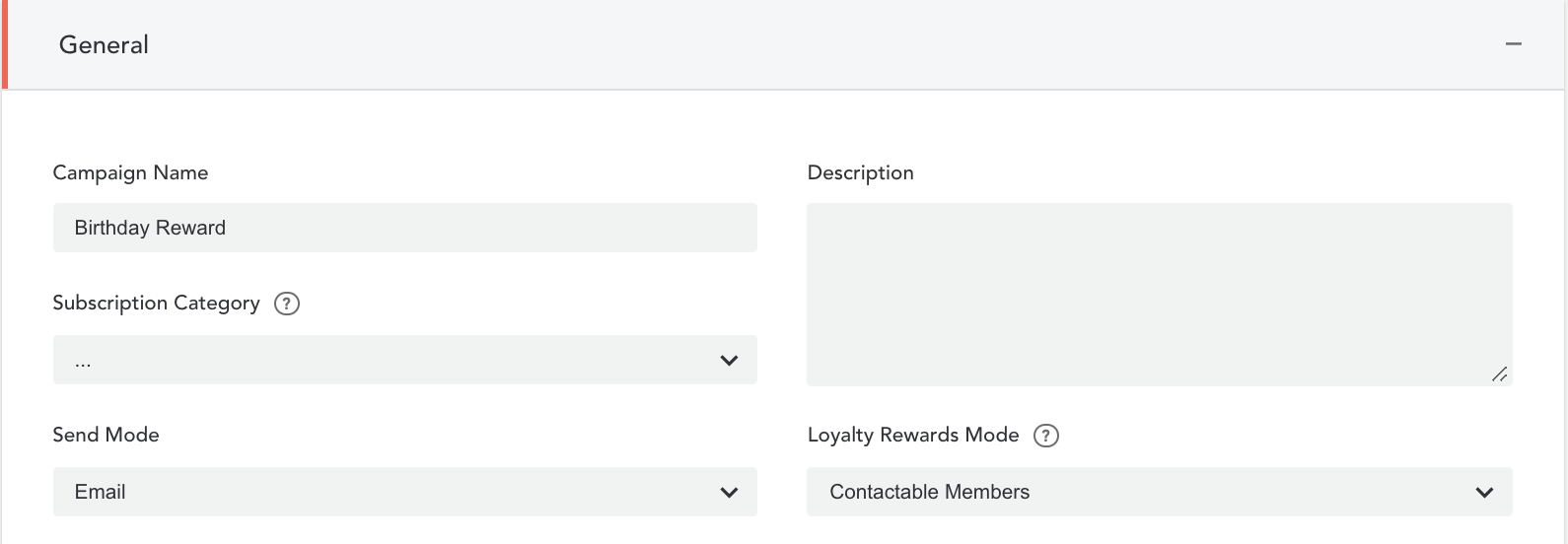
- Go to the 'General' campaign section
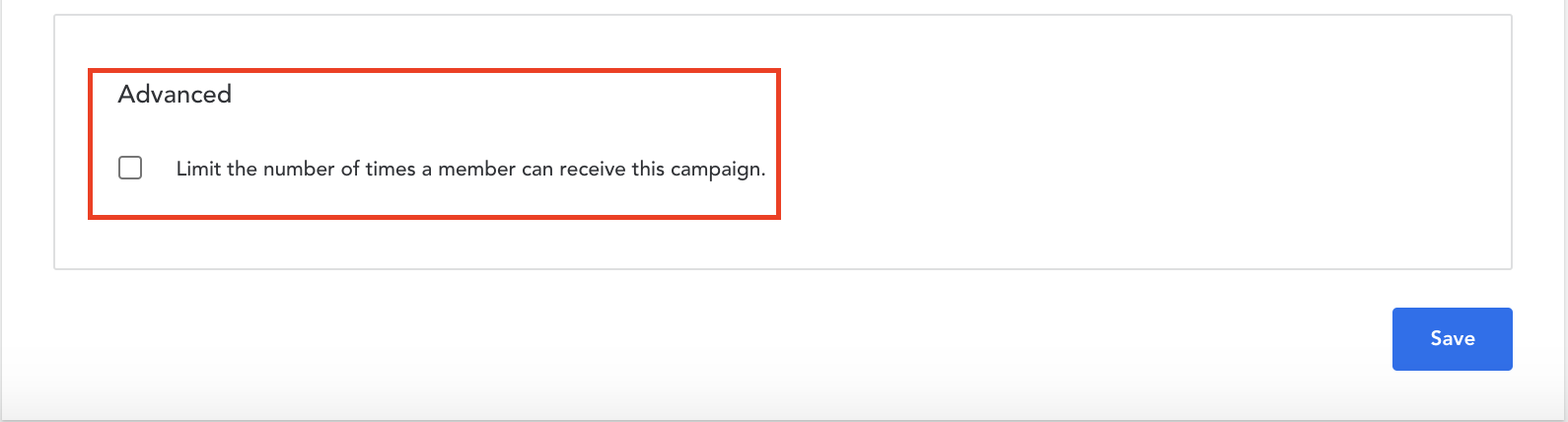
- Under 'Advanced': 'Limit the number of times a member can receive this campaign'
Avoid reaching recurring limits
Limiting the number of campaigns a member can receive should be utilized as a safety mechanism - ideally, this limit should never be reached.
Instead, define how frequently a member receives the campaign at the snapshot level. There you can configure the filters as per use case.
Before redeploying the campaign, make sure to:
- Verify the filters 'Campaign Received' or 'Recurring Campaign Received' in the snapshot are aligned with how frequently a member is expected to be included in the recurring campaign (e.g. once a month or year)
- Reconfigure the recurring limit by updating the setting in the 'General' campaign section
Comments
0 comments
Article is closed for comments.