Situation
Members might contact your customer service department if they believe they are no longer receiving your emails or missed a particular campaign. There are a few reasons why this can happen.
What to do
Confirm Email Delivery
Firstly, confirm if the member has not received the email by viewing a member's profile and campaign history in Movio:
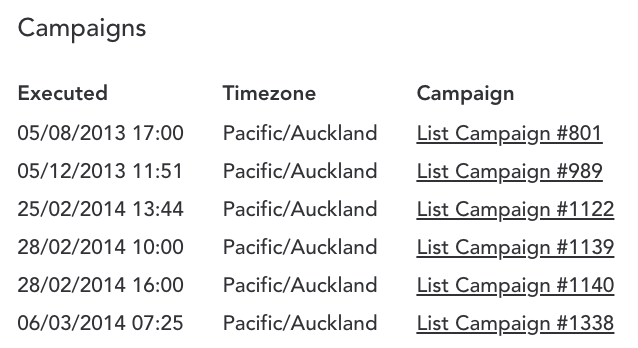
If the relevant campaign (or campaigns) is listed, then the member should have received the campaign. Please reach out to the member to check if the email is in their inbox or junk folder.
In case the member confirms they didn't receive the email, their email service provider might have stopped the email from being delivered into the recipient's inbox. Please contact us so we can troubleshoot further.
Member is unsubscribed
If you have confirmed the above, it's possible the member has unsubscribed.
Find out if a member has unsubscribed by viewing a member's profile and subscriptions in Movio. In the member record, under 'Subscriptions' you will find the available subscription categories.
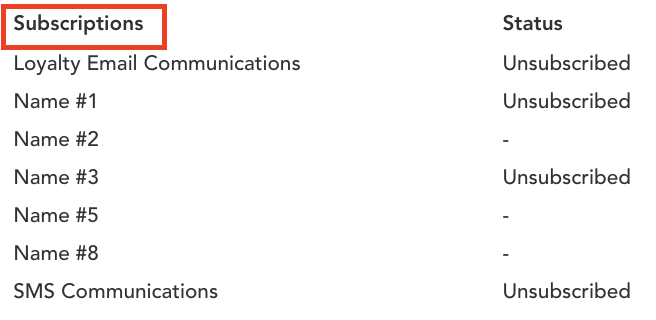
In case the member is unsubscribed, the member will need to be resubscribed by either:
- Requesting the member to resubscribe online, if the option is exposed on your website or mobile app
- Updating the member's record in Vista Loyalty, if the Movio subscription category is synced with a Vista field. Please contact us if you are unsure if this is the case
- If neither of the above is possible, please contact us
Note, if your marketing communication strategy provides more than one subscription category option, the member could potentially receive some emails but not others depending on which categories the member has unsubscribed from. If the member unsubscribed from all subscription categories, they won't receive any communications.
Member's email address is invalid
By now, you have confirmed that the member is subscribed to receive communications but has not received a campaign. Potentially, the member's email address is marked as invalid.
In the Invalid email addresses FAQs, you can learn how to verify if a member's email address is invalid. If you believe the email address has been marked invalid incorrectly, please contact us.
Member was not part of the snapshot
If the member is subscribed and has a valid email address, but still didn't receive a campaign, you can check if the member was indeed in the recipient list of the campaign, e.g. did the member fall in the snapshot criteria used for the campaign. The member could have fallen out of the snapshot criteria or the snapshot has been updated so that the member is no longer targeted.
Please confirm if the member was part of the snapshot and if so, please contact us so that we can troubleshoot further.
Comments
0 comments
Article is closed for comments.