You must select one or more snapshots (or lists if you are doing a list campaign) to begin the recipient list of this campaign. Your snapshot is the one you took in ‘Group Builder.’
- Begin typing the name of your snapshot until an option appears for you
- Select the snapshot and click the ‘+’ button to add the snapshot to your recipient list. If the recipient snapshot does not include an exclusion filter referencing the recurring campaign, a warning will appear under the ‘Recipients’ header in Campaign Builder
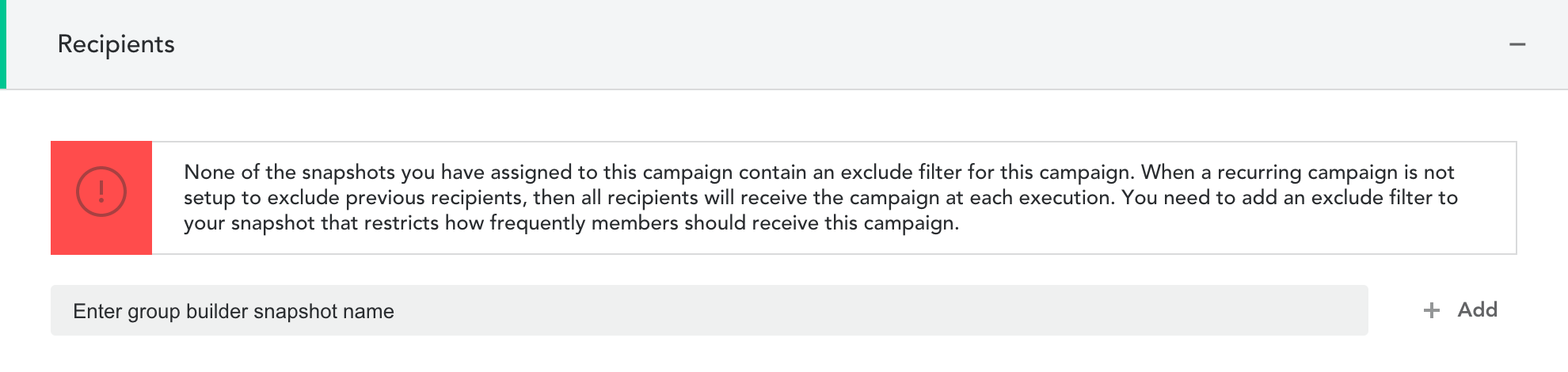
- This can be resolved by modifying the Group Builder snapshot to include either the ‘Campaign Received’ or ‘Recurring Campaign Received’ filters, as shown below:

- Click ‘Save’ to save your changes
Comments
0 comments
Article is closed for comments.