A/B Testing is a useful tool to give you insights into which elements work in an email campaign. It can help you to measure open rates, click-through rates, conversions, and ultimately improve your ROI. A/B Testing allows you to compare two different versions of a campaign, on the same channel, to the same target audience, to determine which one performs better.
Use Cases
If you have two versions of an email, but version A has a different subject line from version B, you would send both versions at the same time to a percentage of your target audience. In this case, whichever version has the most opens would be the ‘winning’ campaign and this will be sent to the remainder of your audience after a specified timeframe.
In Movio Cinema, some of the elements you can test include subject line, preheader text, length of copy, personalization, imagery, and call-to-actions.
Please note: you will need a minimum of 5000 contactable members in your snapshot in order to run an A/B Test. Contactable members are those who are subscribed, valid, and not part of your control group.
Configure an A/B Test
From any page in your console:
- Hover over ‘Engage’ and click on ‘Campaigns’
- Click on ‘Create’ in the top corner
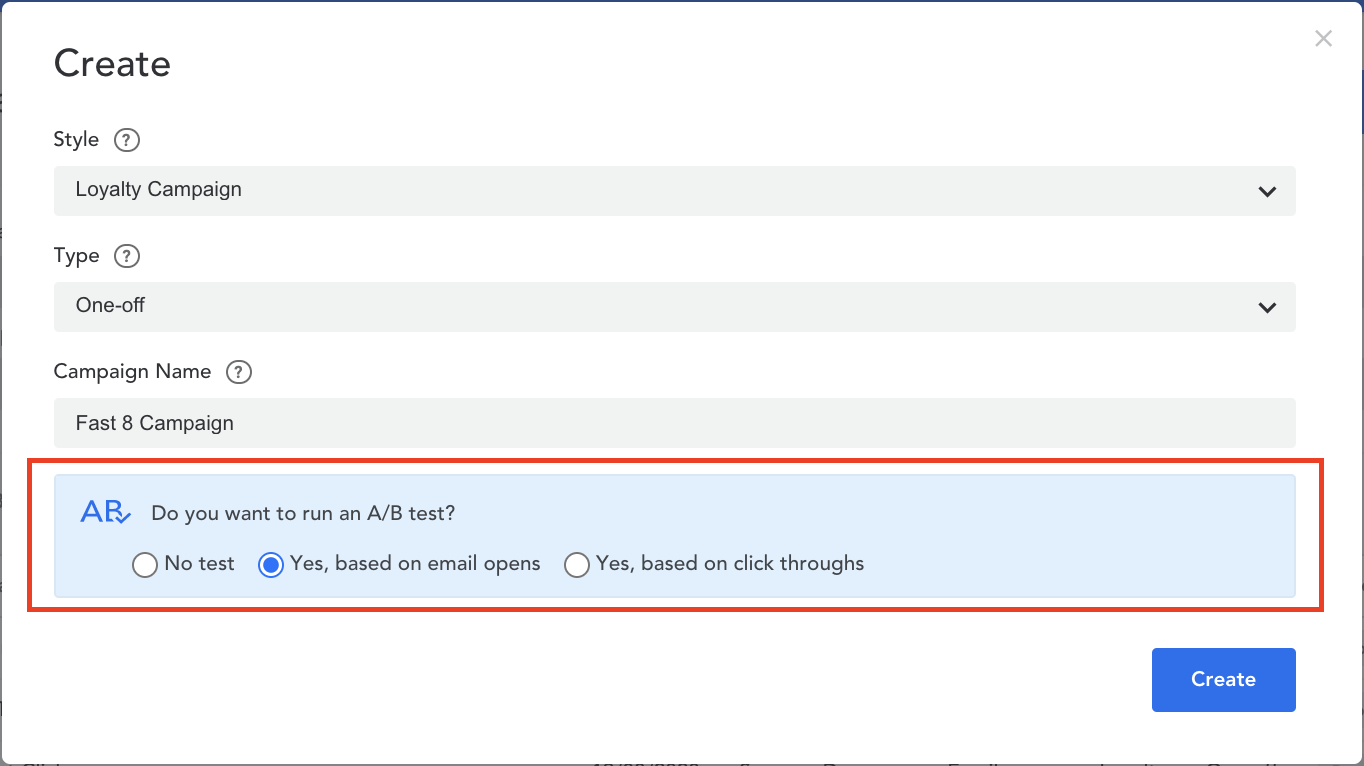
- A/B Testing can currently be used when creating Loyalty or List One-off campaigns
- Select if you’d like to test an email based on email opens, or click throughs
- Based on Email Opens: test two versions of subject lines and/or preheader text. You can choose to include Dynamic or Conditional Content in your subject line and preheader text.
- Based on Click-Throughs: create two versions of an email body (but your subject line and preheader text will be the same for both)
5. Click ‘Create’
6. You’ll need to go through each email version (Test A and Test B) to create your email campaign. Learn more about how to 'create your email campaign'.
Comments
0 comments
Article is closed for comments.