Preview
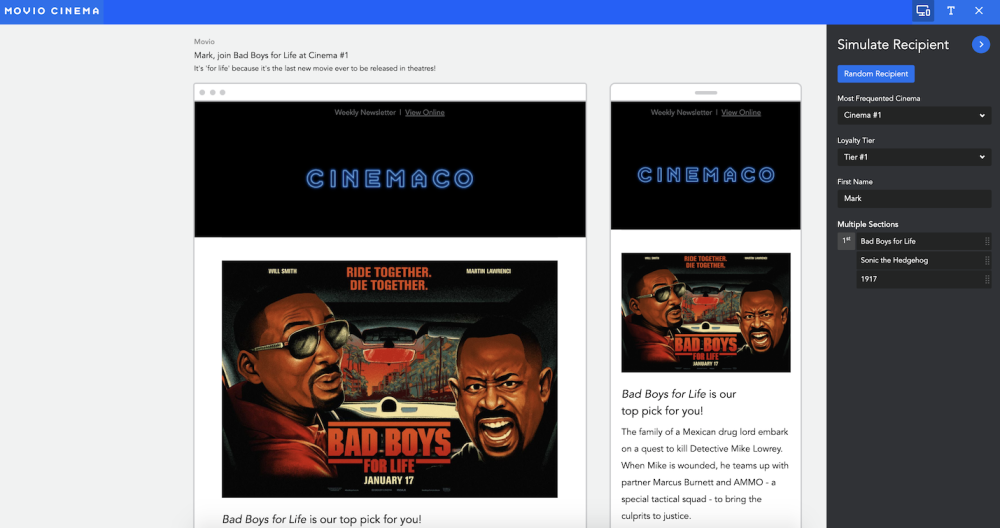
You can preview your campaign by clicking on the ‘screen’ icon in your control bar. You will be able to view what your campaign would look like on both a desktop and mobile device.
In the preview section, there is a ‘Simulate Recipient’ bar on the right. This is where you can view how your email header and body will look for different members receiving it.
To exit preview, simply click on the ‘Preview’ button again.
Save
Once you are happy with your campaign, you will need to click the ‘Save’ icon on your control bar.

You can now exit this screen and go back to ‘Campaign Builder.’
Comments
0 comments
Article is closed for comments.