Situation
When using the Testing Campaign Section you might find that the test accounts show different available custom fields to populate, depending on the campaign you are working on.
What to do
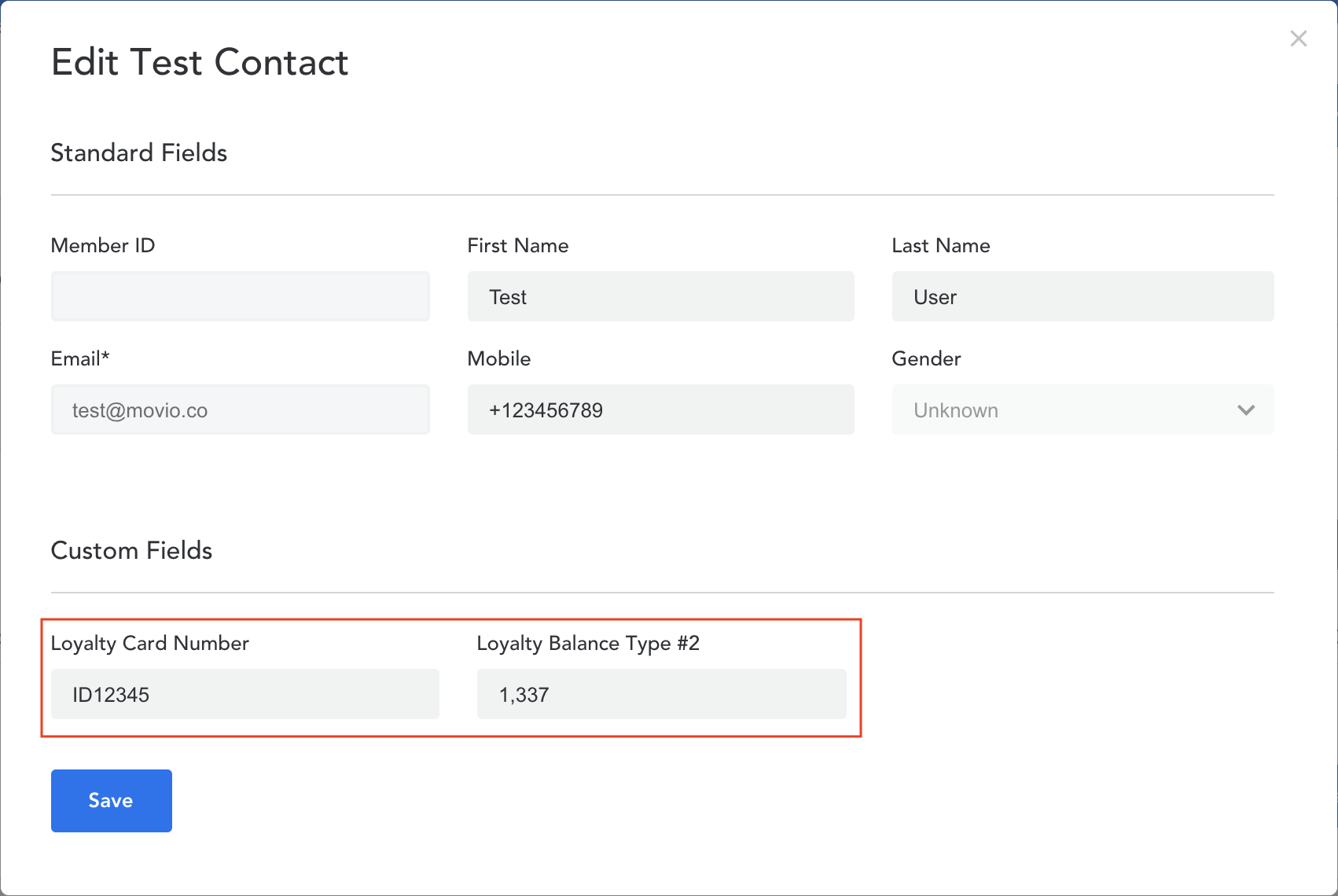
The available custom fields are based on the markers and the conditional content used in the email. When you add a new marker in the copy of the email or you create a conditional rule using a new marker, that marker will become available as a variable in the test account.
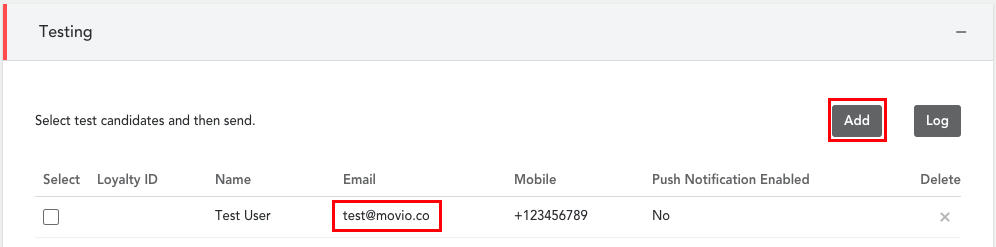
You can populate the values for these variables when adding a new test account by clicking on the 'Add' button or by clicking on the email address of an existing test account.
Note: Test emails will always show the values linked to the test contact
Comments
0 comments
Article is closed for comments.