Situation
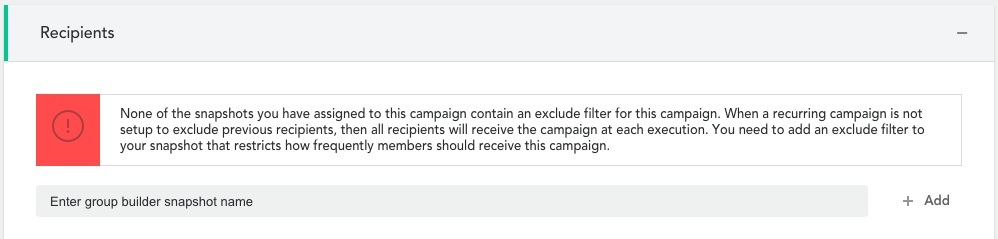
When setting up a recurring campaign, a warning message might appear in the 'Recipients' section:
What to do
Most recurring campaigns require a frequency limit restriction to avoid members being contacted with every execution of the campaign.
For this, add either of the filters below in Group Builder:
- Campaign Received
- Recurring Campaign Received
Examples
If under no circumstance a member should receive the recurring campaign a second time, then you should use the below filter:

If the member should not receive the recurring campaign more than once in a one year period, you should use the below filter:

Note: In both examples, 'Recurring demo' represents the related campaign. Replace this with the name of the recurring campaign you are working on.
Comments
0 comments
Article is closed for comments.