Markers allow you to personalize your email to each member who is receiving it. For example, if you’d like your message to say ‘Hi Bob’ you would use the ‘first_name’ marker.
To add markers to your text, you can either:
- Click on the ‘@‘ symbol above your text box to view the list of markers or,
- Type two ‘@‘ symbols in the text box and select a marker from the drop-down list
- Set a default fallback option for your marker. In the below example, if the moviegoer has not included their first name in their profile, the email will say ‘Hi Superhero!’
- Fallback versions are available for the following markers:
first_name
last_name
loyalty_preferred_cinema_name
loyalty_most_frequented_cinema_name
loyalty_preferred_cinema_concept
loyalty_club_name
loyalty_member_tier - You can also choose the letter casing for your marker
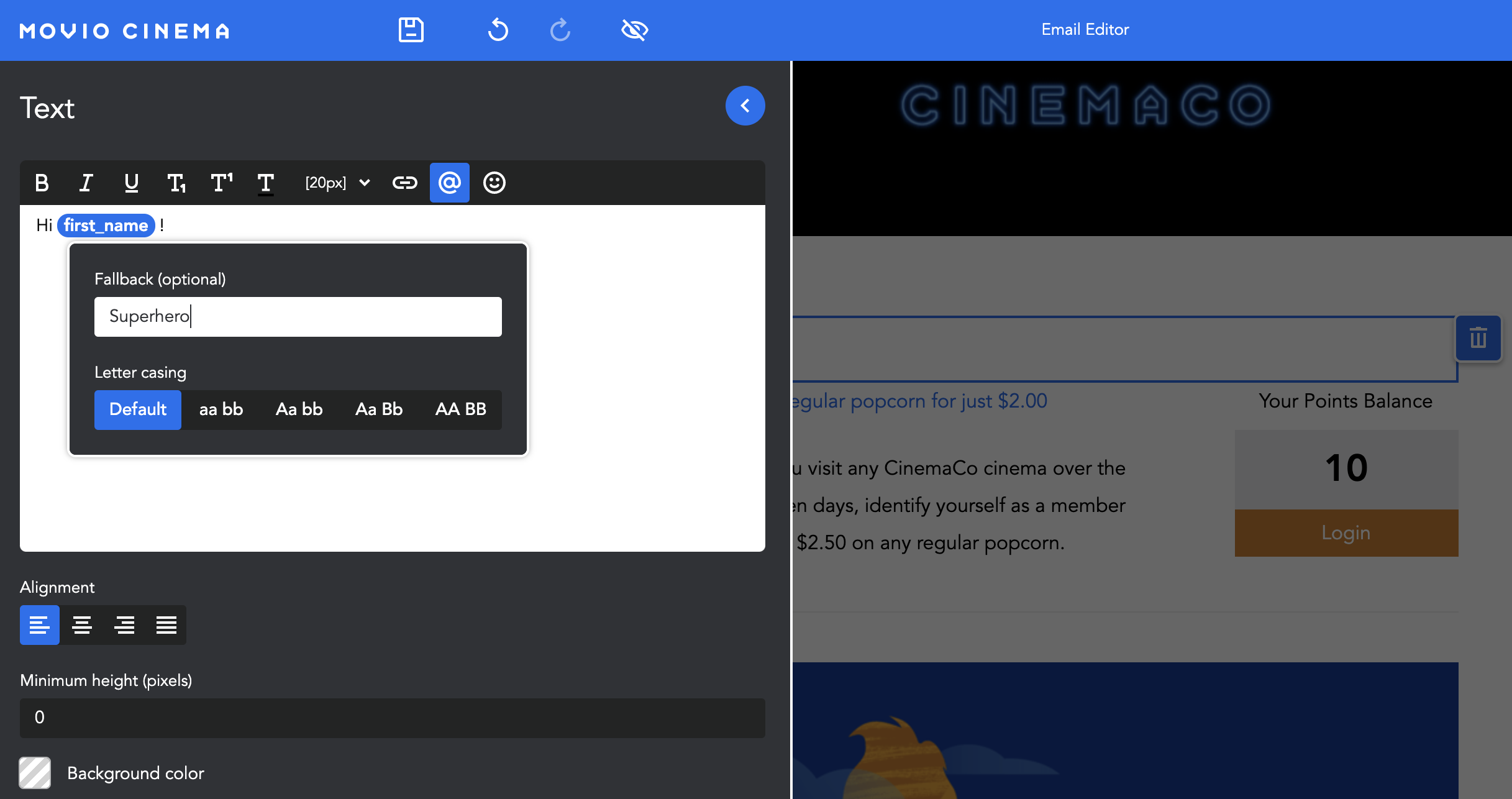
- The marker output can be previewed in ‘Preview’ mode
Calculated Date Markers
Calculated date markers will add the specified interval to the current date at the time of campaign execution, using @@marker_name: +integer day|month|week|year@@
| Options | Result Example calculated on 15.12.2020 |
| @@date_slash_ddmmyyyy: +5 day@@ | 20/12/2020 |
| @@date_slash_mmddyyyy: +1 month@@ | 01/15/2021 |
| @@date_en_extended: +5 week@@ | January 19, 2021 |
| @@date_fr_extended: +2 year@@ | 15 Décembre 2022 |
| @@date_esp_extended: +4 year@@ | 15 Diciembre 2024 |
Comments
0 comments
Article is closed for comments.